
Every hotline call,
attached to the right case.
Nate answers your compliance hotline, lets callers stay anonymous and records the call. The recording and transcript are attached to the hotline report, so your team starts from what the caller actually said. Each caller gets a unique PIN to follow up on their report later.
Illustrative example. Caller, place and details are invented.
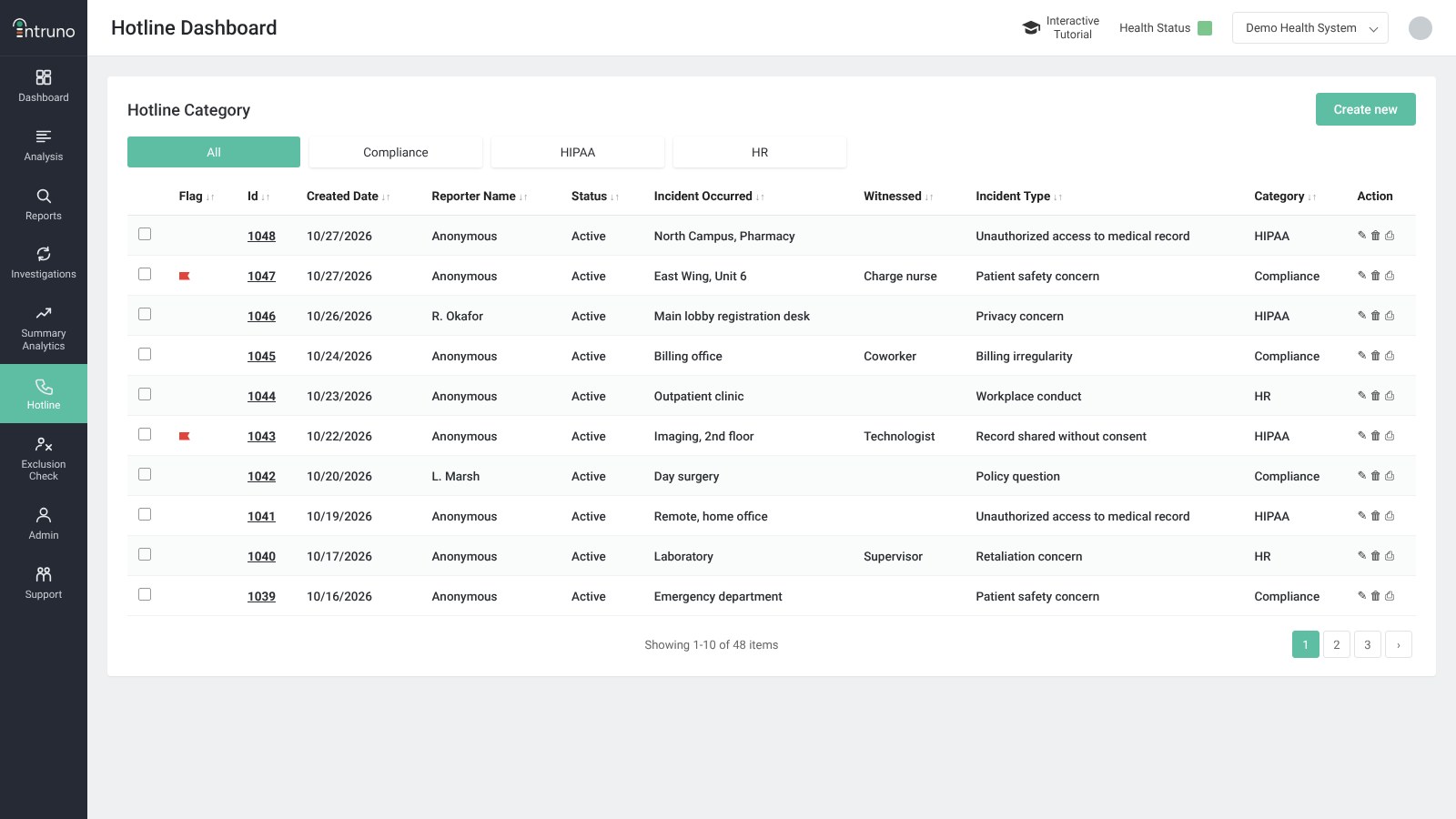
Every report in one queue
The hotline dashboard lists every report with its date, reporter, status, where it happened, any witness and the incident type. Filter by Compliance, HIPAA or HR, and flag the reports that need attention first.
Real-time transcription
Open a report to play the recording, read the transcript or download it. The transcript shows the conversation turn by turn, so a reviewer can check what was said before deciding what happens next.
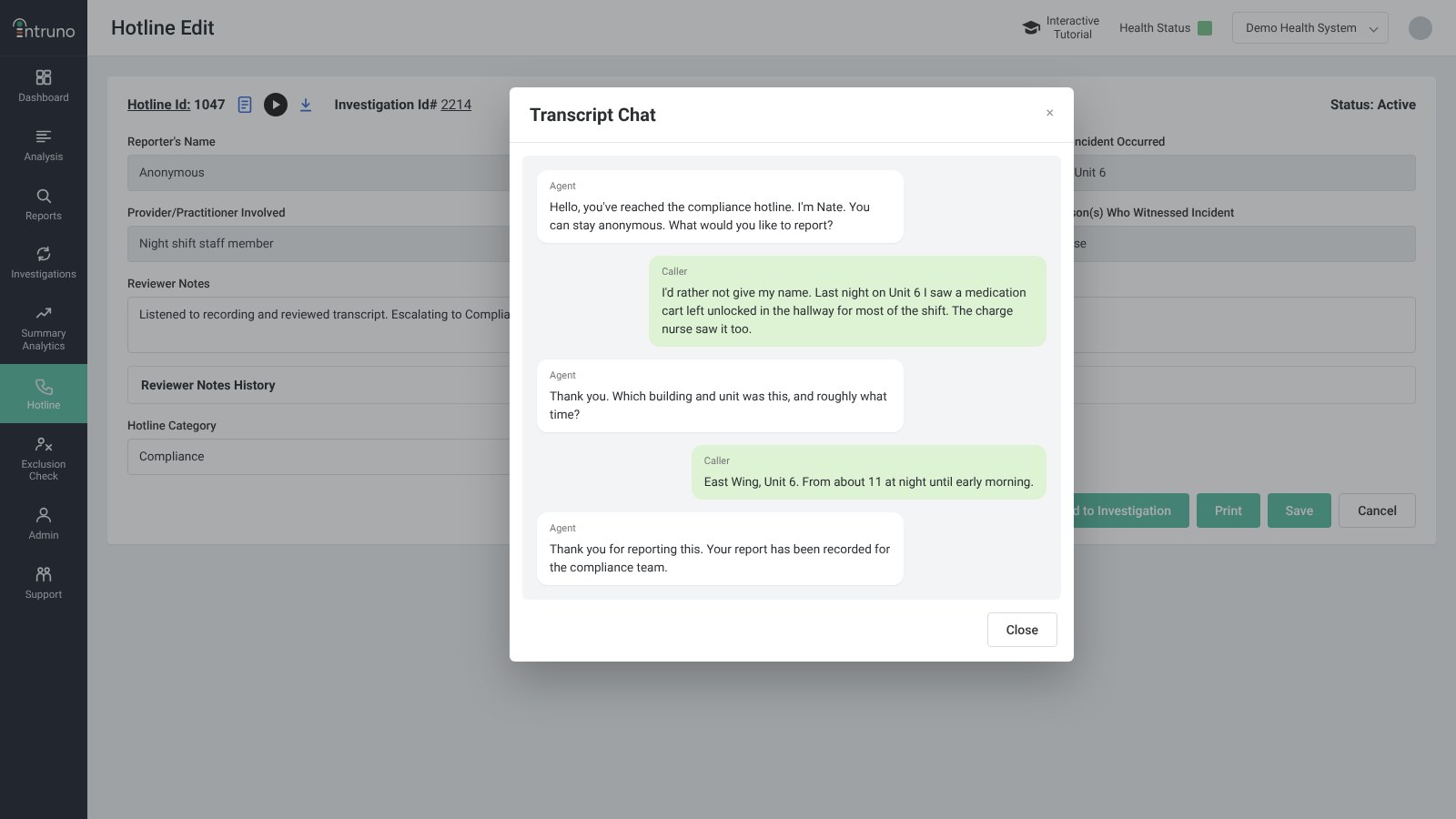
One record from the first word to the resolution.
Every step happens in the same system your privacy and compliance team already uses.
Nate answers
Nate takes the call, asks what happened, where and when, and lets the caller stay anonymous.
Report recorded
The hotline report is created with the call recording and a full transcript attached.
Follow-ups
The caller gets a unique PIN for their report and uses it to follow up, without giving their name.
Review and resolve
Reviewers add notes, set the category and incident type, then resolve the report or add it to an investigation.
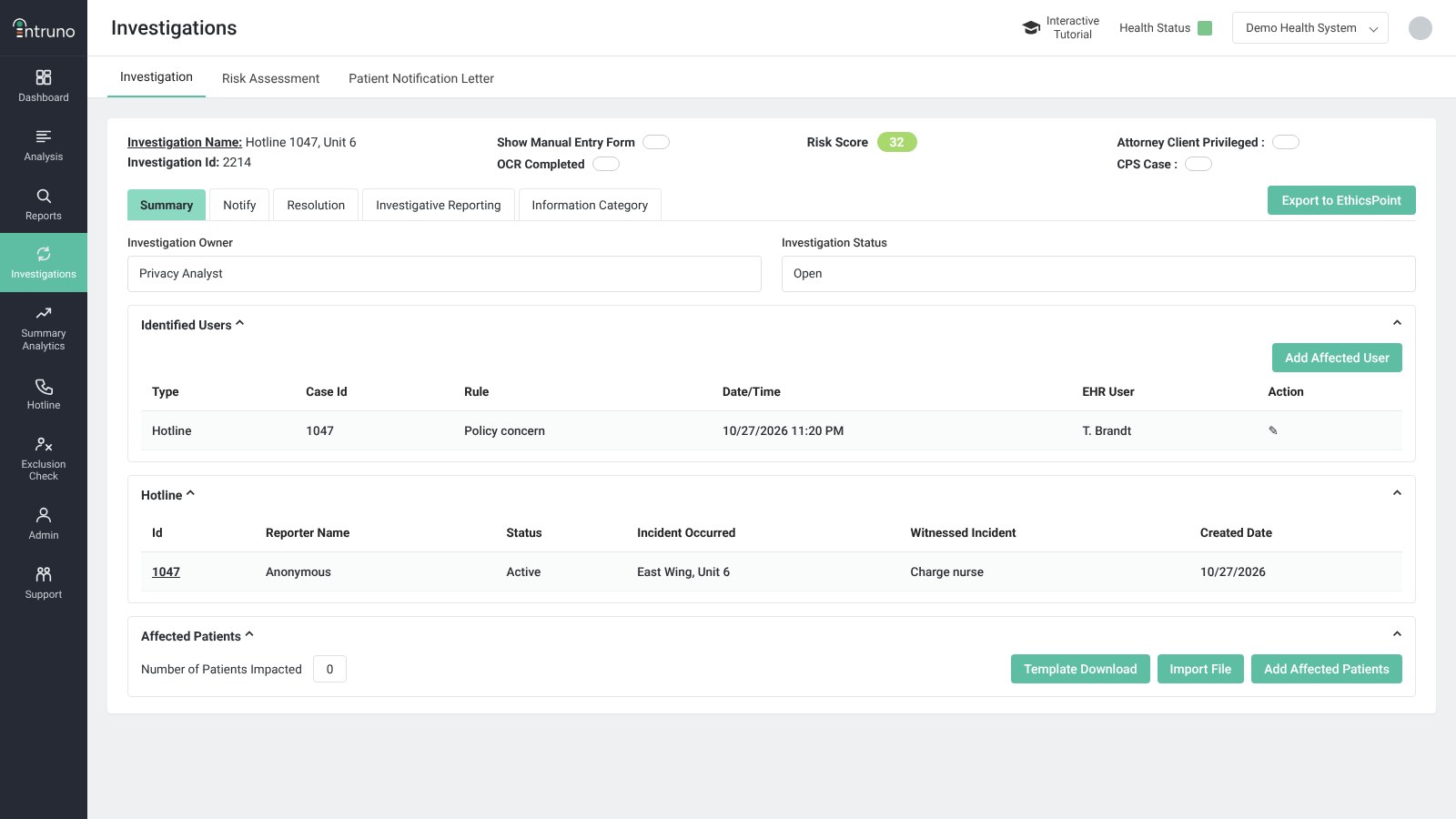
From hotline report to investigation
Add a report to an investigation and it appears in the case’s Hotline section, alongside the identified users and affected patients. Notes, risk assessment, patient notification letters and export to EthicsPoint all work from that one case.
Anonymous when the caller chooses to be.
A hotline only works if people trust it. Each caller decides whether to give their name, and describes what happened in their own words. Their PIN is how they come back to the report, so staying anonymous never means losing touch.
Callers never have to give their name
A unique PIN lets callers follow up on their report later
Reports are grouped by category: Compliance, HIPAA and HR
Reviewer notes and history stay with the report
Reports can be printed or moved into an investigation
Hear how Nate would answer your hotline.
A working session covers call handling, categories and how reports flow into your investigations.